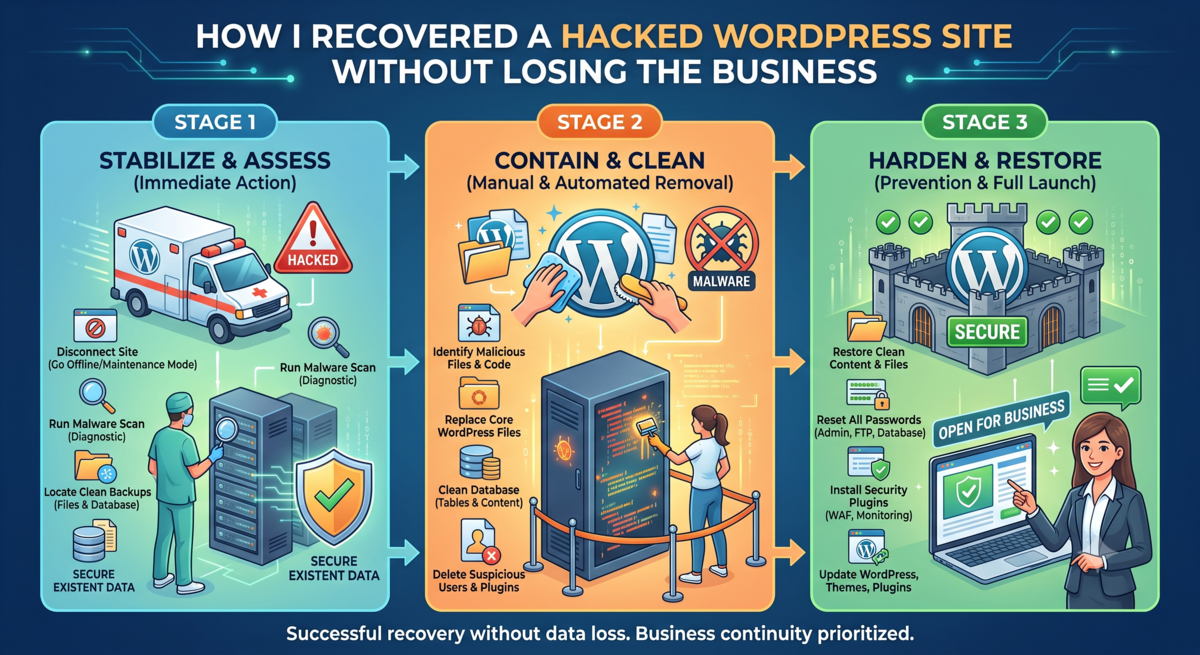
A staging install I had forgotten about got my live store hacked. Here is exactly what broke, how I cleaned it in the right order, and the one habit that stopped it coming back.
The site was fine on a Friday. By Monday, customers were emailing to say their browser flagged a warning before the page even loaded. That is the moment every store owner dreads, and I was in it.
I run a software store. Digital goods, thousands of orders, the kind of site where an hour of downtime is real money walking out the door. So I had to move fast, but moving fast while panicking is how people delete the wrong thing and turn a bad day into a catastrophe. Here is the calm version, written after the fact, so you can skip the panic.
First: find the door before you clean the room
The instinct is to start deleting suspicious files immediately. Resist it. If you clean the infection but leave the entry point open, the attacker walks straight back in, often within hours. I have watched this happen to other people. You spend a weekend cleaning, feel relieved, and Wednesday it is all back.
My door turned out to be a staging site. Two years earlier I had spun up a copy of the store to test a theme update. I never deleted it. It sat there on an old WordPress version, unpatched, forgotten, with a login the attacker eventually guessed. From there they had a foot inside the same hosting space as the live store.
The lesson landed hard: every extra install is a door. A staging copy you forgot about is not harmless. It is a second front door with a weaker lock, and you are not watching it.
The cleanup order that actually works
Once I knew how they got in, I worked in a strict order. Order matters more than speed here.
- ● Take a full backup first — even of the infected site. You want a copy to study, and you never want cleanup to be the thing that loses data.
- ● Close the entry point. In my case, delete the staging install completely — files and database, not just the files.
- ● Find every file the attacker added. Malware usually drops its own directories and scatters modified files with recent timestamps.
- ● Check the database, not just files. Attackers hide rogue admin users and injected rows there. I found extra databases I had never created, several gigabytes of them.
- ● Harden the config after cleaning, not before — file permissions, the config file, and blocking the paths they used to get in.
The part people skip is the database. They scan files, see them clean, and declare victory while a hidden admin account sits waiting. If you only clean files, you have not cleaned the site.
The habit that stopped it coming back
After the site was clean and stable, I changed one thing permanently: I stopped trusting on-server backups as my only safety net.
My host took daily backups. That feels safe until you realise those backups live on the same server. If the host suspends your account, or the server itself is compromised, the backups can go down with everything else. They protect you from your own mistakes. They do not protect you from losing the whole server.
So now a copy lives somewhere the host cannot touch. The database comes down weekly — it is small and takes about two minutes. The full file set comes down monthly. I keep a few rolling copies on an external drive and a second machine. It is boring, it takes ten minutes a month, and it is the difference between a bad afternoon and losing years of work.
What I would tell my past self
- ● Delete every install you are not actively using. Old staging copies are the most common way in.
- ● Find the entry point before you clean anything, or you will do it twice.
- ● Clean the database as seriously as the files. The hidden admin user is the reinfection.
- ● Keep at least one backup off the server. On-server backups are convenience, not insurance.
A hack feels like the end of the world for about twenty-four hours. It is not. It is a process, and the process is calmer than the panic makes it feel — as long as you do the steps in order and you close the door before you sweep the floor.
I wrote a longer, step-by-step version of this — including the exact cleanup sequence and the hardening checklist — on my site: the full WordPress hack-recovery guide on KeySellers.